
AutoPlay Menu Builder is a program that enables you to create interactive autorun menus for your CDs and DVDs without requiring any programming experience. Whether you need to make an autoplay menu for a disc with a movie, a photo gallery, or even a Windows or Mac program installation, this utility provides you with all the tools you may need.
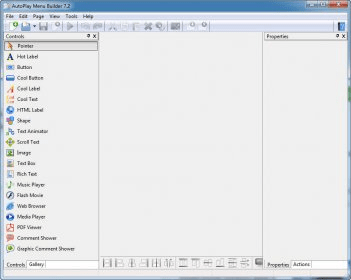
A great thing about using this application is that it provides a very simple way to create the intended menu: you can either use one of the given templates or create your own by dragging the necessary items listed on the left side of the screen. Unlike many other programs from its category, AutoPlay Menu Builder also lets you embed a music player, images in various formats, Flash movies, and even web browsers in the created menus.
The only disadvantage of using this program is that, once in a while, it displays annoying errors when you attempt to create a movie backup menu. A solution when this issue occurs is to restart the application and try again. As for the rest, AutoPlay Menu Builder is a very efficient application with an adequate price tag and high-quality results.






Comments (1)