

AutoPlay Menu Builder 5.5 is a tool for creating automatic playing menus to launch CDs or DVDs.
Using your mouse, you will be able to build a menu that will run automatically when you insert a disc, and can launch applications, open documents, play movies, and other tasks.
The evaluation version allows to use all the functions, but places a nag screen on the created menus. This nag screen can be removed by editing the menus with a registered version.
You can use the Menu Wizard to build your menu.
It will first ask you the kind of project you will build. You can start with a Blank, Classic, Movie Backup, Multi Page, Slideshow, Software Installer, Tutorial or XP Menu template. You will see a preview on the right panel, when pointing each alternative. You´ll need to choose a destination folder and name for the project, and then click OK.
The program will the offer you to password protect your menu. You can choose whether to do it or not.
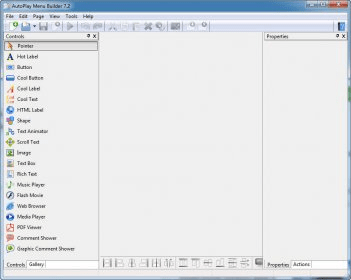
The program will then show you a grid where you can place every component of the menu, like buttons, shapes, texts, graphics, flash movies, etc.
When you´re finished, you can save your project or export it as a standalone executable file that you can include in a CD that you will burn.

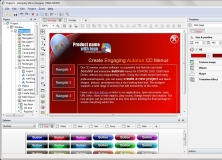

Build interactive applications that automatically run when you open a CD or DVD.













Comments (1)